Word Links iOS Update 1.7 Releases
Today we have released update 1.7 of Word Links on the Apple App Store for both the Free and Pro versions of the game.
Since the last update we have been very busy adding some very big features into the game, and it is in update 1.7 that you will see the beginning of these big improvements and features. Let’s fill you in on some of the highlights…
Power-Ups
You will see that we have rearranged the bottom of the game area to include a ‘Powers’ button. Tapping on this ‘Powers’ button will open up the power-Up draw, where you can use up to four powers to enhance the game and the words you play.
Best Word
If you find yourself stuck on what word to play next, let the Best Word power-up help you out! Using this power-up the game will take a look at your current game board and it will show you a list of high-scoring words that you can play against your opponent.
Premium Words
For an additional one time cost, or free for Ultimate Word Pack players, you will have access to the highest-scoring words available in the game.
Power Swap Joins Cube Swap
Like the previous Cube Swap, we have introduced a new Power Swap power-up. Unlike cube swap, which gave you a random cube back from the cube bag, with Power Swap you get to choose the actual cubes you want, which allows you to play the word you want to against your opponent.
Word Meter
This power up allows you to see the strength of your played word before you play it, so that you can try to play an even higher word knowing that the current one may not be the strongest.
Word Definitions
Have you ever wondered what the word played by your opponent means? Then let our new Definitions rollout tell you. Located around Word Links is a blue Definitions icon. Tapping this button will open up the dictionary definition of the word. Definitions can also be checked during a game for any word last played. This can be toggled by tapping the score bar at the top of the game board.
Live Scoring
For Ultimate Word Pack members only, the Live Scoring power-up lets you instantly view the total score of your word as you place your cubes down on the game board, which saves you time adding them up manually and lets you concentrate on the words you make!
Improved Shop
To purchase any of these power-ups you can visit our new shop in the game where you can buy small items to the big Ultimate Word Pack.
Ultimate Word Pack
For extreme wordy gamers, you can purchase the Ultimate Word Pack. This pack stocks-up on all the very best features and power-ups in Word Links for one single payment. Check out the shop for the full list of what Ultimate Word Pack unlocks.
New Achievements
To coincide with the power-ups, we have added four new achievements to our achievements list. These are:
- Leave Nothing to Chance: Use a Power Swap Power Up
- Nothing but the Best: Use the Best Word Power Up
- What’s it Worth: Use the Word Meter Power Up
- Hat trick: Win 3 Games in a row
We can’t wait to see what you think of this update, including all the improvements we have made to the game. Remember to update or leave us a review on the App Store and invite your friends or family to a game on iOS, Android or on Facebook.
Word Links iOS Update 1.6 Releases
We are happy to announce that iOS Update 1.6 (Free and Paid) is now available to download for our multi-platform word game - Word Links.
In this latest update we have a number of exciting new headline features for you wordy gamers! So here we are again with a rundown of what is new in this update…
Achievements
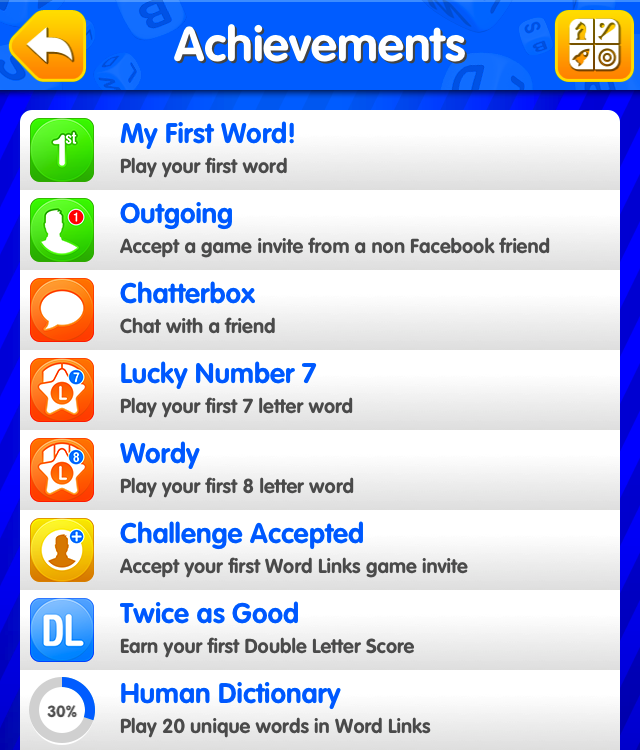
New to Word Links, you can now unlock over sixty achievements within the game. We have spread out a number of easy through to challenging achievements throughout Word Links and we hope you enjoy unlocking them. Tap on the new achievements button to view which you have unlocked and look out for the achievement panel that will drop into view as soon as an achievement has been unlocked.
We have hooked these challenges into Apple’s Game Center too, so if you have a Game Center account, log in and start earning those achievements for your Game Center profile!
My Statistics
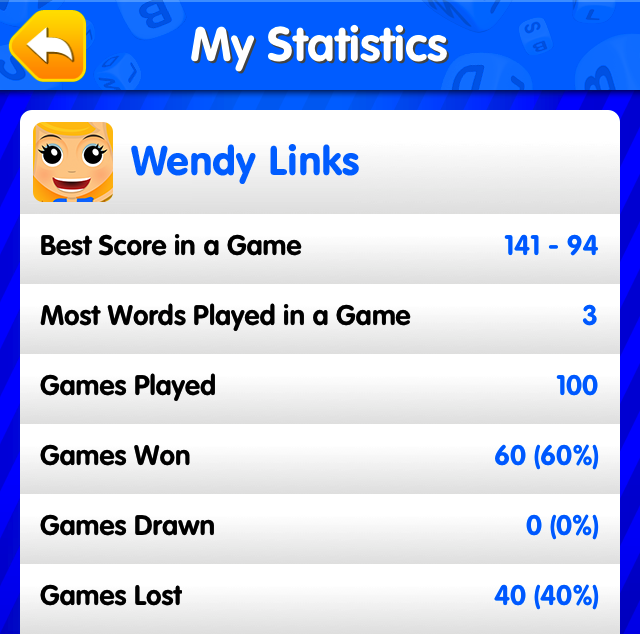
We have added a player statistics section into Word Links. From here you can view a variety of in-game stats for your profile. This will make more sense in a future update, but in Update 1.6 you can check your best game, longest word and biggest margin, to recent form and longest winning streak.
Tapping the Game Statistics button at the bottom of this section will display all the people you have played and your Win, Lose or Draw results against them too!
Menu UI
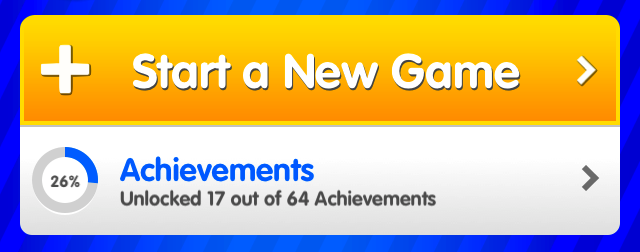
We have updated the main menu with improved visual elements. On the main menu there is a new achievement button/area that will display how many of the achievements you have unlocked. Tapping this will take you straight into the Achievements section.

We have also made it more clear in the main menu’s Game Over area if you have won or lost a game. So at a glance you can see your state of play within all played games of Word Links.
Improved Dictionary
In this release we have improved on the dictionary within Word Links. The game now supports over 180,000 extra words!! Speed has also been greatly improved and this will help with a new feature that will be coming very soon! :)
Improved Facebook Integration
For those who log into Facebook you will also find improved integration with Facebook. Most of this is behind the scenes but Facebook users may see a few new prompts when sharing your moves on Facebook.
We hope you enjoy this update. We are hard at work with Update 1.7 which will bring lots of exciting features that we will unveil very soon.
Word Links Android Update 1.4 Releases
We have hit the switch on Android update 1.4 of Word Links. So head over to Google Play now.
In this update 1.4 we have squashed a number of bugs and made many improvements to the game under the hood as well as improve the inviting friends.
Update 1.5 of Word Links (Free) is now available on the App Store!
We are pleased to announce that the next update to Word Links has been approved by Apple and is now available to download from the App Store.
In this BIG bumper update we have made many improvements and bug fixes to the game, so we thought we should share these changes with you:
Introducing Wendy Word Links!
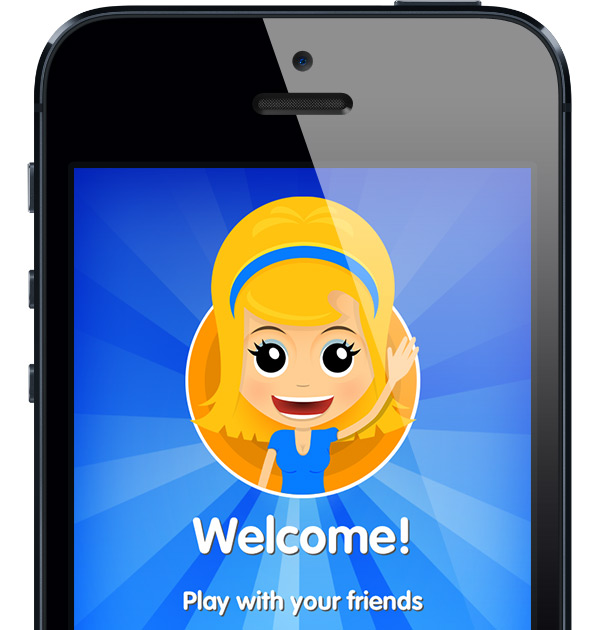
We would like to introduce Wendy Word Links - our Word Links gal who you will see quite often throughout the game. We posted our two characters on Facebook and asked for your votes and “Wordy Girl" Wendy was chosen as your favourite.
Wendy will see you though the sign up process, she will guide you though each step in the tutorial and also congratulate and commiserate your wins, draws and loses.
New Interactive Tutorial
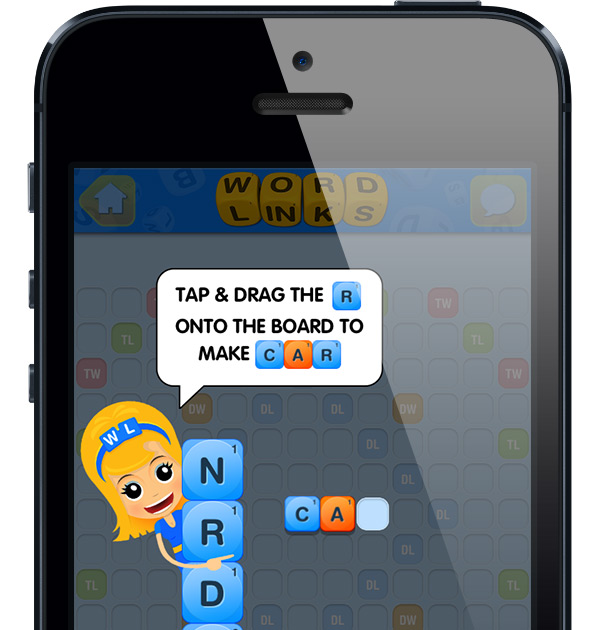
To help better understand Word Links and how simple it is to create and play a word, we have created an improved interactive tutorial when you first log into the game [Note to existing users: you will not see this tutorial unless you sign out and back in again].
This tutorial will help any first time players of Word Links quickly understand the simple steps it takes to view all sides of each cube, placing them onto the board and playing a turn. We’ve tried to keep this tutorial as concise as possible so that the tutorial doesn’t drag on and become dull for first timers. Making it interactive, more understandable and memorable for users was key for us.
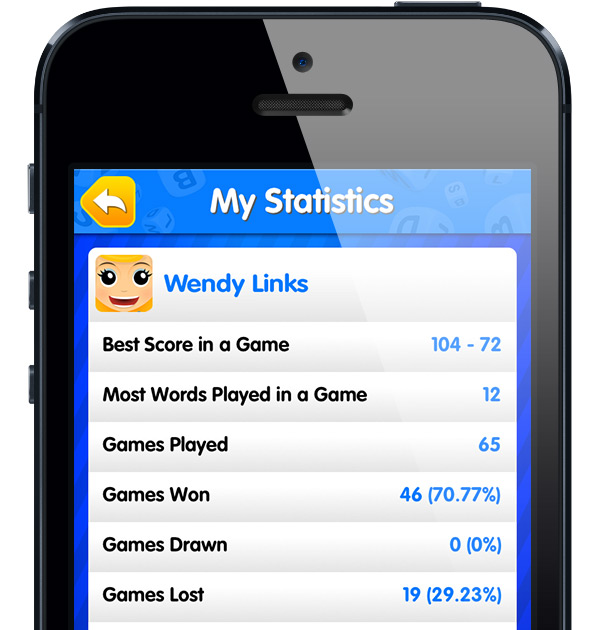
My Statistics
You can now access your Word Links statistics from the home page. Find out your best score in a game, games won, longest word, biggest win margin and much more.
Use these stats to better your game, fine tune your skills and make you a better Word Links player.
We have more stats planned for the near future along with a Word Links world ranking system.
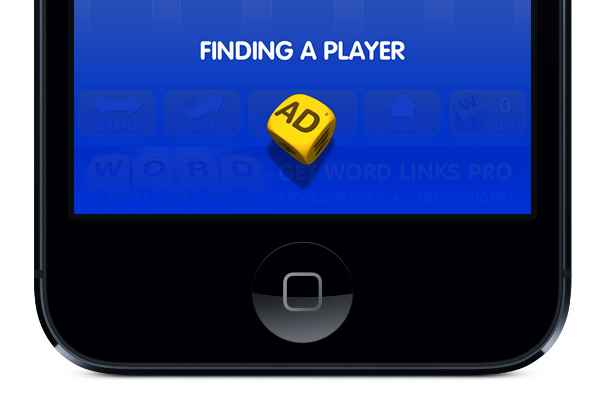
Improved Random Players
Over the past few weeks we have been fine tuning how random players are found. You will now be matched with eager active Word Links players in the game, so we hope you have a more challenging experience.
Lots of fixes, improvements and new features
As always in every update of Word Links, we have improved on a number of areas on the surface and under the hood too. So we hope you enjoy them and share this update with your friends and family.
The premium version of Word Links is still currently waiting for Apple’s review team and should be with you very soon. So keep and eye on our Twitter timeline, Facebook feed or these very pages for any new updates or news on Word Links.
You can download Word Links from the App Store -http://bitly.com/wordlinks
Play Word Links on your Android device - http://bitly.com/androidwordlinks
Play Word Links on Facebook - http://bitly.com/fbwordlinks
For more information on Word Links visit our micro-site hub - http://www.wordlinksgame.com
Pick your favourite Word Links character
We have a bit of a dilemma here at Fat Fish Games HQ. As part of the next update of Word Links we are improving how new users play the game, and this will be told via the chosen in-game character.
We’ve created two characters (above), a wordy man and a wordy girl, and we would like you to tell us which of the two you’d like to see featured in the game. Leave us a comment or vote on our Facebook poll.
Many thanks and happy voting.
Word Links is now available on Android via Google Play! http://bitly.com/androidwordlinks
To celebrate this release on Android, we have created a fancy new trailer that demos our word game, Word Links, and showcases a few of its features, including cross-platform play.
You can download Word Links® from the App Store - http://bitly.com/wordlinks
Or Play it in your browser on Facebook - http://bitly.com/fbwordlinks
For more information on Word Links® visit our hub - http://www.wordlinksgame.com
Music by: Kevin MacLeod (incompetech.com)
Update 1.4 of Word Links is now available on the App Store!
We recommend to existing users that they download this update in order to improve their experience with Word Links as the update includes a number of bug fixes and speed improvements.
Amongst many improvements, the most notable feature in Word Links update 1.4 is the new ability to share you move on your Facebook timeline. So now you can brag and share not only your wins you can share you high-scoring words also!
We have also made some very notable improvements behind the scenes,which has increased the overall speed of loading games, submitting moves and browsing between them. This has also increase the speed of our Facebook version of the game too!
Our next update will be in a few weeks, because we are busy developing quite a large feature into the game that we are very excited to tell you about - but we cannot right now - so watch this space. :)
You can download Word Links® from the App Store -http://bitly.com/wordlinks
Or Play it in your browser on Facebook - http://bitly.com/fbwordlinks
For more information on Word Links® visit our hub -http://www.wordlinksgame.com
The Making of Word Links - Part 5
With our latest game - Word Links® - now being played around the world, on Apple iOS and on Facebook (Android coming soon!), we bring you a part-based interview with the team behind the game. In this series we share how the game came about, its development and how the game plays.
In this final part (Part 5) of The Making of Word Links - David Lane, Managing Director at Fat Fish Games talks to Jonas Lochner, Product Director at Fat Fish Games and John Cambers, the inventor of Qb®, the physical game that was the inspiration behind the game - Word Links - Out now on the App Store and on Facebook.
Topics Include:
- Playing the original game of Qb®
- Chat & Facebook integration
Click here to view the entire playlist in full.
You can download Word Links® from the App Store - http://bitly.com/wordlinks
Or Play it in your browser on Facebook - http://bitly.com/fbwordlinks
For more information on Word Links® visit our hub - http://www.wordlinksgame.com
The Making of Word Links - Part 4
With our latest game - Word Links® - now being played around the world, on Apple iOS and on Facebook (Android coming soon!), we bring you a part-based interview with the team behind the game. In this series we share how the game came about, its development and how the game plays.
In Part 4 of The Making of Word Links - David Lane, Managing Director at Fat Fish Games talks to John Cambers, the inventor of Qb®, the physical game that was the inspiration behind the game - Word Links and Jonas Lochner, Product Director at Fat Fish Games. In this video we discuss Free & Pro versions of the game, the Swap Cube feature, future platforms and colour blind capability.
Topics:
- Free & Pro versions of the game
- Swap Cube feature
- Future platforms
- Color Blind Capability
You can download Word Links® from the App Store - http://bitly.com/wordlinks
Or Play it in your browser on Facebook - http://bitly.com/fbwordlinks
For more information on Word Links® visit our hub - http://www.wordlinksgame.com
The Making of Word Links - Part 3
With our latest game - Word Links® - now being played around the world, on Apple iOS and on Facebook (Android coming soon!), we bring you a part-based interview with the team behind the game. In this series we share how the game came about, its development and how the game plays.
In Part 3 of The Making of Word Links - David Lane, Managing Director at Fat Fish Games talks to John Cambers, the inventor of Qb®, the physical game that was the inspiration behind the game - Word Links and Jonas Lochner, Product Director at Fat Fish Games. In this video we discuss the ease of play, the comparison between the physical game and digital game and much more.
Topics:
- Ease of Play
- The hurdles from a physical to a digital game
- Chat & Sharing on Facebook
You can download Word Links® from the App Store - http://bitly.com/wordlinks
Or Play it in your browser on Facebook - http://bitly.com/fbwordlinks
For more information on Word Links® visit our hub - http://www.wordlinksgame.com